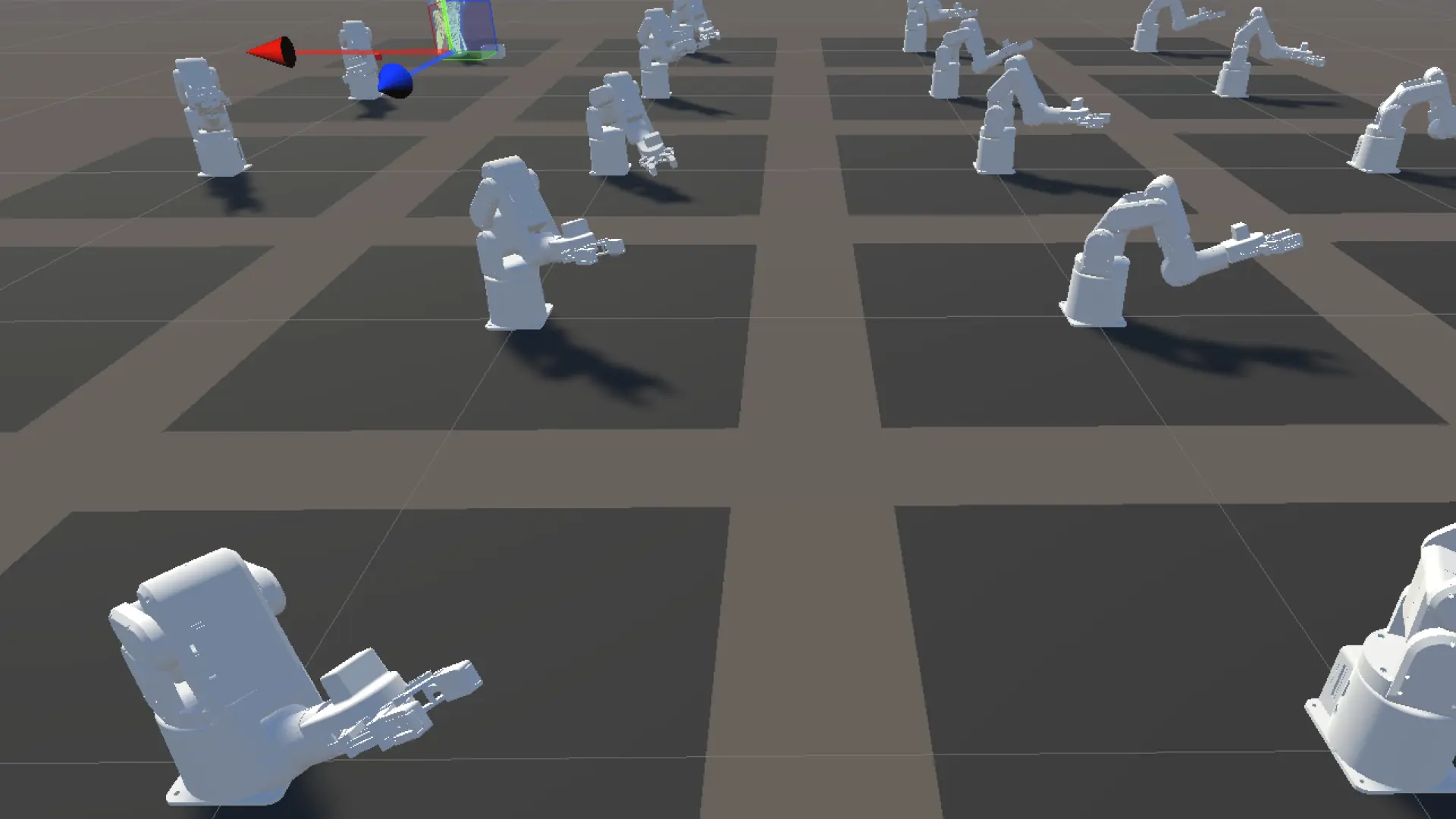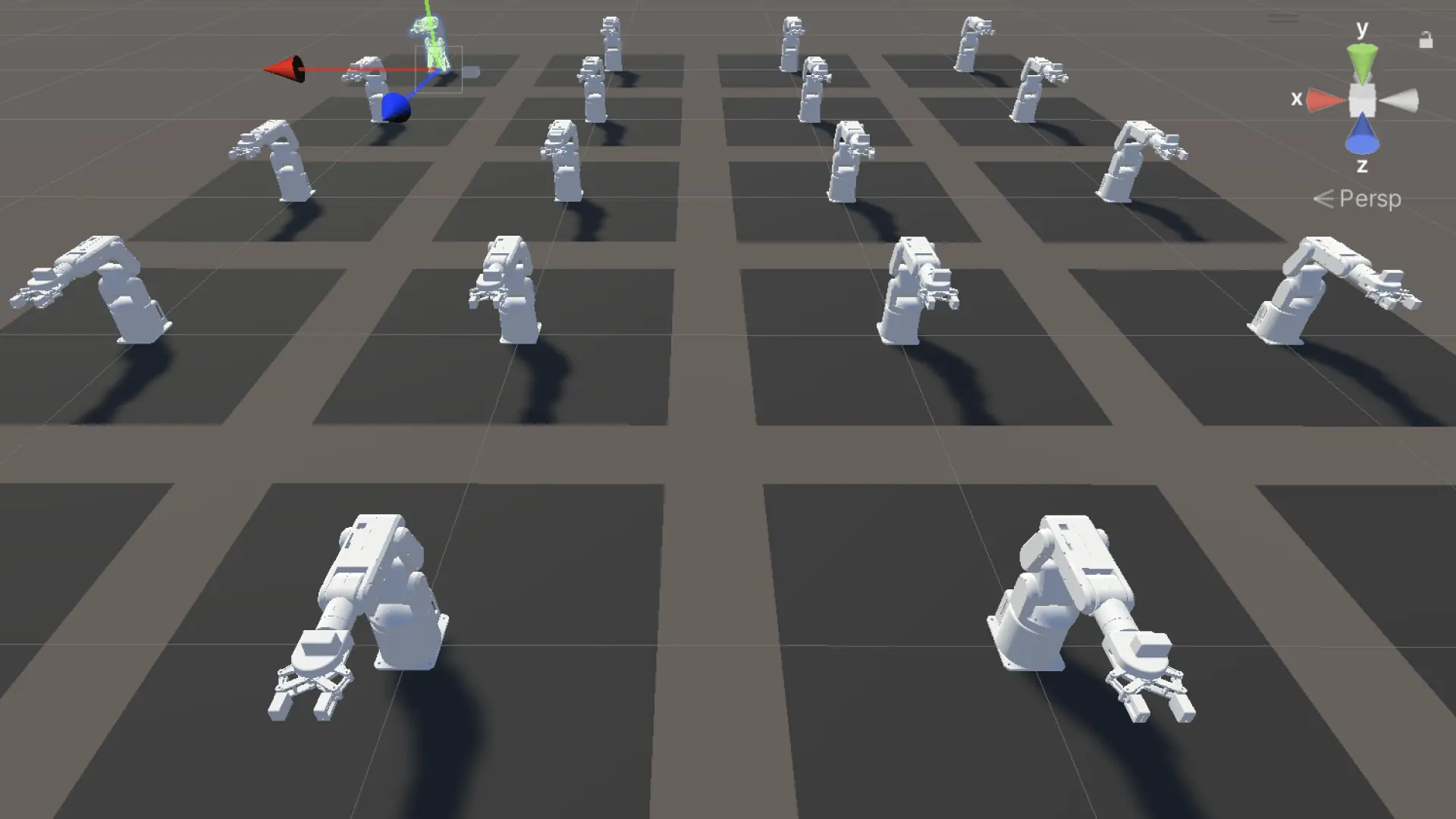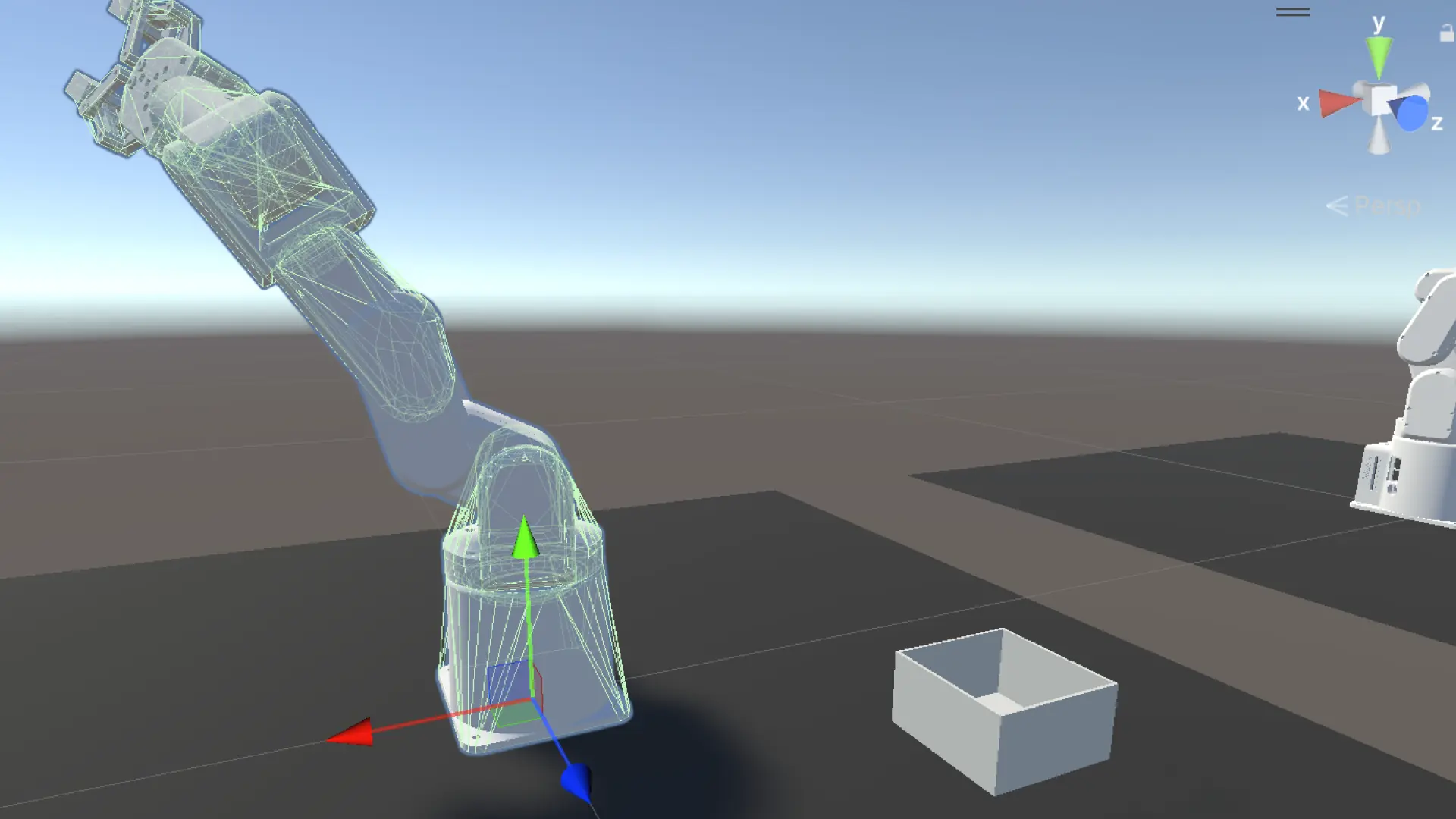
8点のモーションデータから81点の補間軌跡を生成し、20体のデジタルツインがウェーブ再生した
シミュレーション側の完成度を上げることに集中した。8点の実機モーションデータをEaseInOut補間で81点に拡張し、20体のデジタルツインがそれぞれ異なるPICK位置から同一のPLACE位置に収束するバリエーション再生を実現した。グリッパーの傾き問題に3時間以上費やし、最終的にMotionLogPlayer.csに隠れていたJ6+30°オフセットが根本原因だと判明した。
💡 Key Takeaway
モーション補間の正解は「Mac側でCSVを拡張する」だった。Unityでの補間も実機のsend_angles()も、同じ81点のCSVデータを受け取って順送りするだけにする設計が、Sim-to-Realの一貫性を保つ。グリッパーの傾き問題は、コードを疑い続けた末に既存スクリプトのオフセット定義にたどり着いた。
やったこと | 起きたこと | 判断 |
|---|---|---|
Claude Code導入・CLAUDE.md設定 | プロジェクト文脈が自動ロード、ファイル参照がスムーズ | スクショ→テキスト出力のワークフローに移行 |
interpolate_motion.pyを作成 | 8点→81点のEaseInOut補間CSV生成 | Mac側で補間する設計が確定 |
MotionLogPlayerにEaseInOut追加 | 1行追加で補間カーブが変化 | 線形Lerpから三次EaseInOutへ |
角度差ベースduration実装 | フレーム間の移動時間が動的に変化 | 大きな動きは遅く、小さな動きは速く |
VariationMotionPlayer.cs新規作成 | 20体がそれぞれ異なるオフセットで再生 | J1に2°刻り、J2に1°刻りのオフセット |
Editorスクリプトで20体を自動セットアップ | 1クリックで全体に適用 | 手動アサインを排除 |
グリッパー傾き問題を解決 | J6+30°オフセットが原因と判明 | MotionLogPlayer.csのコードから発見 |
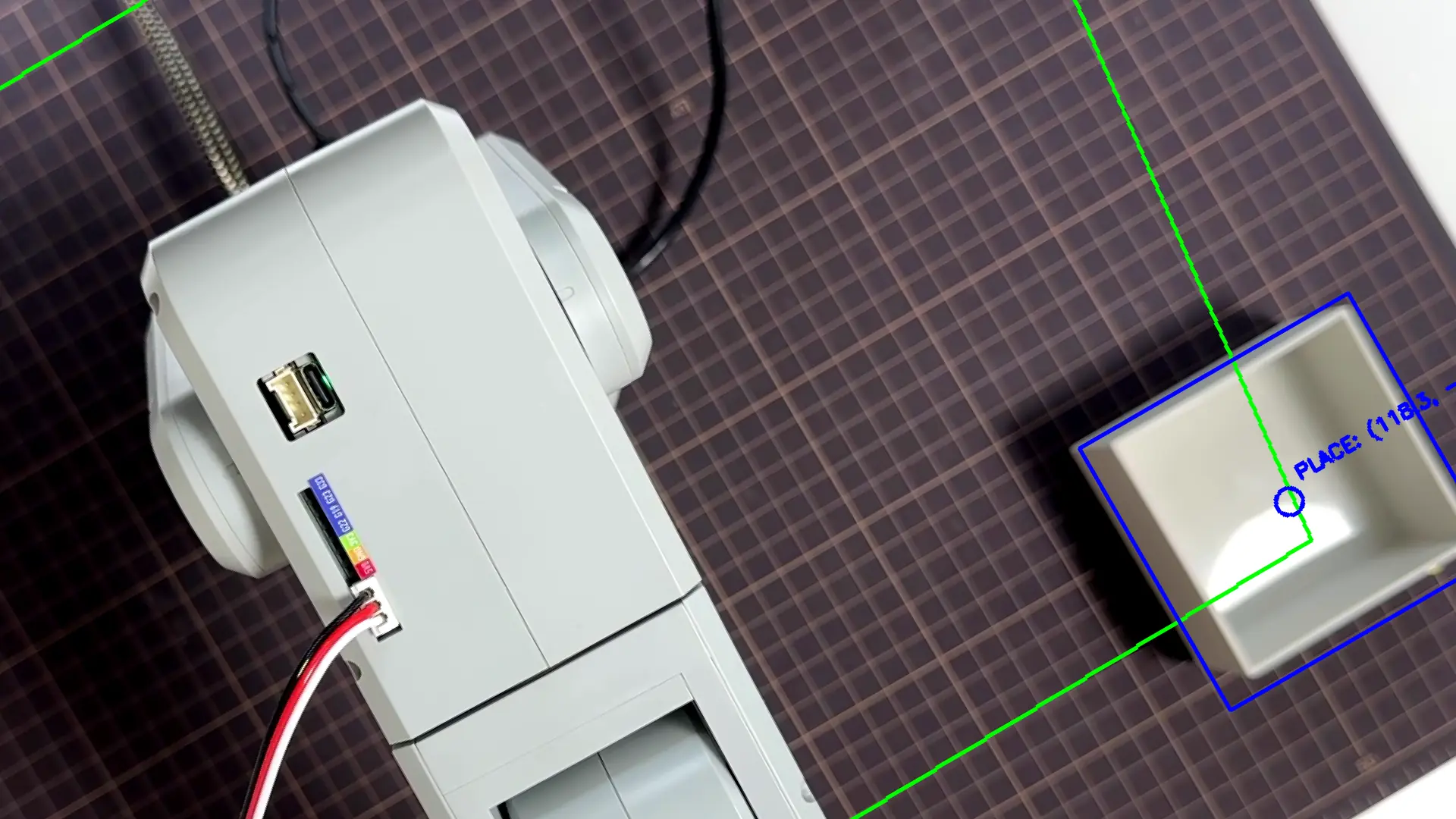
PLACE位置をラベルで分岐 | PICK側のみオフセット、PLACE側は共通 | 20体が異なるPICKから同一PLACEに収束 |
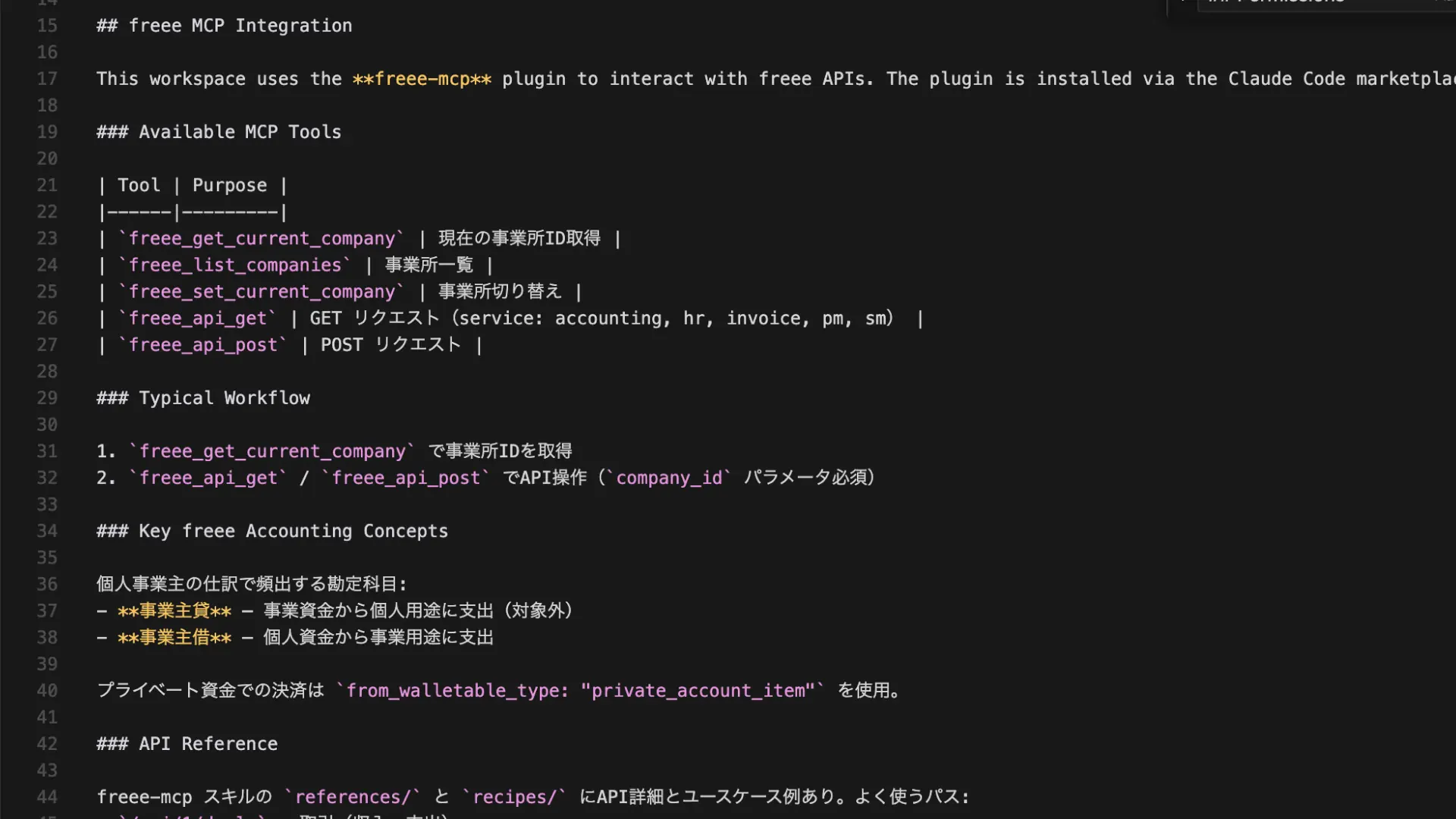
Claude Codeをワークフローに組み込んだ
ファイルを貼り付けてレビューする往復が多くなる。スクリーンショットを撮ってチャットに貼る作業が積み重なっていた。
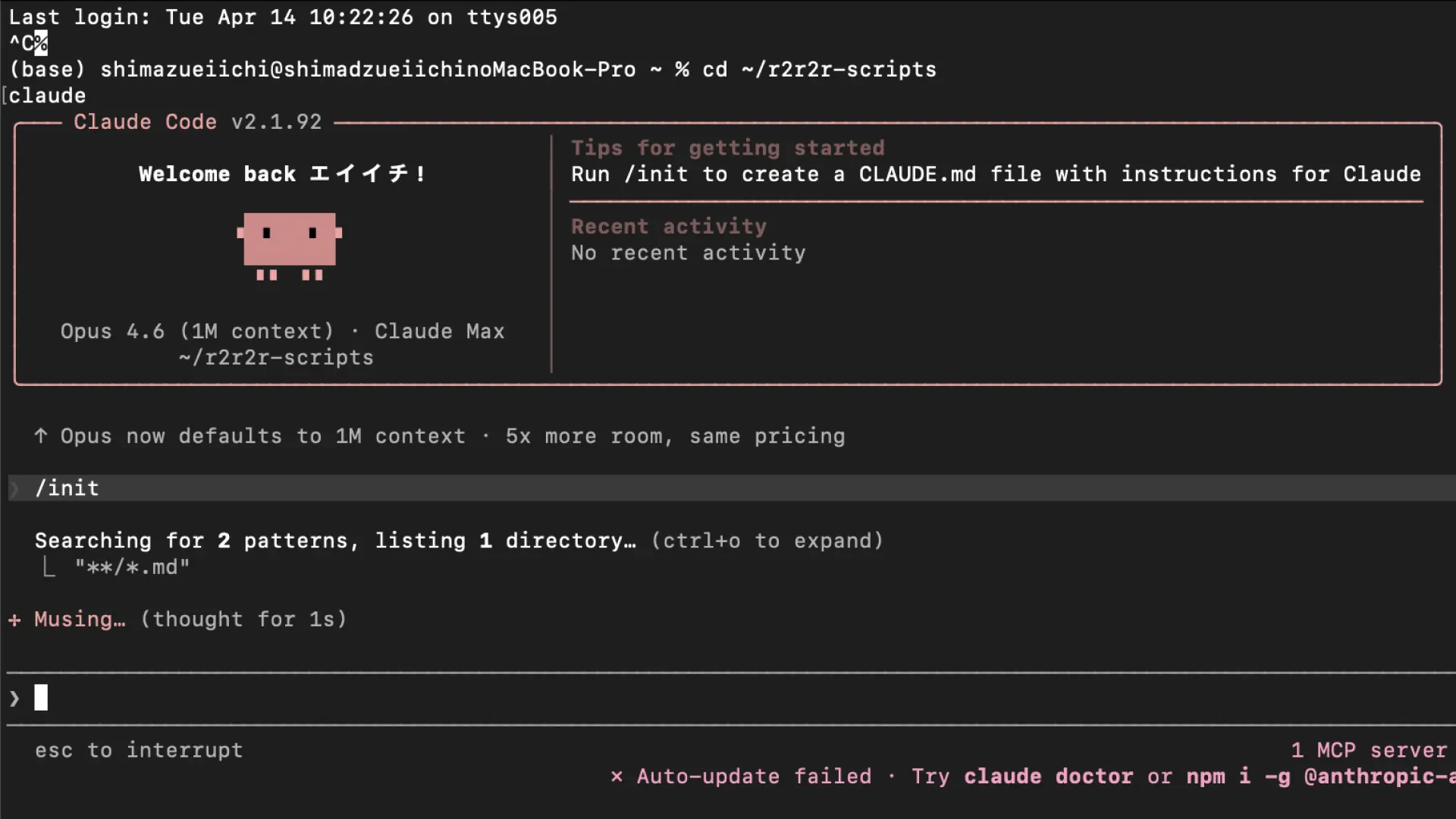
Claude Codeをターミナルから起動して、/init でCLAUDE.mdを生成した。プロジェクトの全体像がファイルに記載されるので、毎回説明しなくていい。ログはファイルに書き出して、テキストをコピーするだけで共有できる。
cd ~/r2r2r-scripts
claude起動後、/init を実行するとClaude Codeが r2r2r-scripts/ を自動でスキャンしてCLAUDE.mdを生成した。LOG151までの状況、lookup tableのファイル構成、次のタスクを追記した。
## Current Phase (DAY151完了)
- Phase 1 ✅ 完了: r2r2r_loop.py で SUCCESS達成
- Phase 2 🔄 進行中: 成功率計測・CSV logging
- Phase 3 未着手: カメラベース失敗検知

## Lookup Table (FK Scan)
- fk_scan_motion_based.csv: 134,456点 (8姿勢起点 ±15°/5°刻り)
- fk_scan_table.csv: 481点 (PICK起点 j0全域)
- カラム構造: ee_x, ee_y, ee_z, j0, j1, j2, j3, j4, j5

## Next Task (DAY152)
Pi側 nearest-neighbor lookup実装:
  pixel → homography → Robot XY → fk_scan_motion_based.csvから最近傍 → send_angles()
補間関数:
  interpolate_angles(start, end, steps=5, easing=True)
  get_angles()で現在角度取得 → 5ステップ補間 → sleep=0.05s

## 禁止事項
- git clean 絶対禁止
- git add . 禁止(個別ファイル指定)
- homography.npy の値を変更しない
- ROI (1571, 607, 249, 211) 変更禁止
- time.sleep() を削除・短縮しない
補間の設計方針を確定させた
ロボットアームの「動きをなめらかにしたい」という話から始まった。MotionLogPlayer.csにはすでにLerpToNextFrameが実装されていたが、補間は線形(等速)だった。
EaseInOut(三次SmoothStep)を1行追加した:
// MotionLogPlayer.cs L169に追加
float t = Mathf.Clamp01(elapsed / duration);
t = t * t * (3 - 2 * t); // EaseInOut(三次)
しかしここで根本的な問いが出た。「Unity側で補間してもPiには関係ない」という問題だ。
正しい設計はMac側での補間だった。
motion_log_block.csv(8点)
    ↓ interpolate_motion.py(EaseInOut×10ステップ)
motion_log_interpolated.csv(81点)
    ↓
Unity: MotionLogPlayerで再生 ← 同じデータ
Pi: send_angles()で順送り ← 同じデータ
この構造にすれば、シミュレーションで確認した動きがそのまま実機に乗る。
interpolate_motion.py を作成した
~/r2r2r-scripts/interpolate_motion.py を新規作成した。
#!/usr/bin/env python3
"""
モーションログ補間スクリプト
motion_log_block.csv の隣接フレーム間をEaseInOut補間で10ステップに分割し、
motion_log_interpolated.csv として出力する。
"""

import csv
import os
from datetime import datetime, timedelta

INPUT_FILE = os.path.expanduser("~/r2r2r-scripts/motion_log_block.csv")
OUTPUT_FILE = os.path.expanduser("~/r2r2r-scripts/motion_log_interpolated.csv")
STEPS = 10
TIME_FORMAT = "%Y-%m-%d %H:%M:%S.%f"


def ease_in_out(t):
    """三次EaseInOut補間"""
    return t * t * (3 - 2 * t)


def main():
    # CSV読み込み
    frames = []
    with open(INPUT_FILE, "r") as f:
        reader = csv.reader(f)
        header = next(reader)
        for row in reader:
            timestamp = datetime.strptime(row[0], TIME_FORMAT)
            label = row[1]
            angles = [float(v) for v in row[2:8]]
            frames.append((timestamp, label, angles))

    # 補間して出力
    rows = []
    for i in range(len(frames) - 1):
        ts_from, label_from, angles_from = frames[i]
        ts_to, label_to, angles_to = frames[i + 1]
        time_diff = (ts_to - ts_from).total_seconds()

        for s in range(STEPS):
            t_linear = s / STEPS
            t_eased = ease_in_out(t_linear)

            ts = ts_from + timedelta(seconds=time_diff * t_linear)
            label = f"{label_to}_i{s}"
            angles = [
                round(a + (b - a) * t_eased, 2)
                for a, b in zip(angles_from, angles_to)
            ]
            rows.append([ts.strftime(TIME_FORMAT), label] + angles)

    # 最終フレームをそのまま出力
    last_ts, last_label, last_angles = frames[-1]
    rows.append(
        [last_ts.strftime(TIME_FORMAT), last_label]
        + [round(a, 2) for a in last_angles]
    )

    # CSV書き出し
    with open(OUTPUT_FILE, "w", newline="") as f:
        writer = csv.writer(f)
        writer.writerow(header)
        writer.writerows(rows)

    print(f"出力完了: {OUTPUT_FILE} ({len(rows)}行)")


if __name__ == "__main__":
    main()
実行結果:
出力完了: /Users/shimazueiichi/r2r2r-scripts/motion_log_interpolated.csv (81行)8区間×10ステップ+最終フレーム1行。隣接フレームの角度差を確認した。
遷移 | J1差分 | J2差分 |
|---|---|---|
HOME → GRIPPER_OPEN | 0° | 0° |
GRIPPER_OPEN → APPROACH_PICK | 54.22° | 81.91° |
APPROACH_PICK → PICK | 7.29° | 20.83° |
PICK → GRIPPER_CLOSE | 0° | 0° |
GRIPPER_CLOSE → APPROACH_PLACE | 106.78° | 72.74° |
APPROACH_PLACE → PLACE | 5.36° | 15.17° |
PLACE → GRIPPER_OPEN_PLACE | 5.36° | 15.17° |
GRIPPER_OPEN_PLACE → HOME_RETURN | 59.85° | 30.00° |
GRIPPER_CLOSE→APPROACH_PLACEでJ1が106°動く。これを1.5秒で再生していたから「カクカク」に見えていた。
MotionLogPlayerに角度差ベースのdurationを実装した
固定stepIntervalをやめて、角度差に比例した動的durationに切り替えた。
// MotionLogPlayer.cs PlayMotion()内
if (i < _frames.Count - 1)
{
    // 最大関節角度差を計算
    float maxDelta = 0f;
    for (int j = 0; j < _frames[i].Length && j < _frames[i + 1].Length; j++)
        maxDelta = Mathf.Max(maxDelta, Mathf.Abs(_frames[i + 1][j] - _frames[i][j]));

    // 角度差に比例したduration(最小0.5s、最大4.0s)
    float duration = Mathf.Clamp(maxDelta / 60f, 0.5f, 4.0f);
    yield return StartCoroutine(LerpToNextFrame(_frames[i], _frames[i + 1], duration));
}
GRIPPER_CLOSE→APPROACH_PLACE(J1=106°)のdurationは 106/60 = 1.77秒。HOME→GRIPPER_OPEN(差分0°)は最小の 0.5秒。
VariationMotionPlayer.cs を作成した
20体のデジタルツインが「少しずつ違う動き」をするためのスクリプトだ。
設計:
J1に
robotIndex × 2°のオフセットJ2に
robotIndex × 1°のオフセット再生開始を
(robotIndex - 1) × 0.5秒ずらす(ウェーブ効果)APPROACH_PLACE以降のフレームはオフセットなし(全体が同一PLACEに収束)
using System;
using System.Collections;
using System.Collections.Generic;
using System.IO;
using UnityEngine;

public class VariationMotionPlayer : MonoBehaviour
{
    [Header("CSV設定")]
    public string csvFileName = "motion_log_interpolated.csv";

    [Header("ロボット設定")]
    public int robotIndex = 0;
    public float offsetDegPerIndex = 1f;

    [Header("関節(J1〜J6順に設定)")]
    public ArticulationBody[] joints;

    [Header("再生設定")]
    public bool playOnStart = false;
    public GripperController gripperController;

    [Header("オブジェクト参照")]
    public GameObject cupObject;
    public Transform endEffector;
    public Transform placeTarget;

    private List<float[]> _frames = new List<float[]>();
    private List<string> _labels = new List<string>();
    private List<DateTime> _times = new List<DateTime>();

    void Start()
    {
        LoadCSV();
        if (playOnStart)
            Invoke(nameof(Play), (robotIndex - 1) * 0.5f);
    }

    void LoadCSV()
    {
        string path = Path.Combine(Application.streamingAssetsPath, csvFileName);
        if (!File.Exists(path))
        {
            Debug.LogError($"[Variation] CSV not found: {path}");
            return;
        }

        string[] lines = File.ReadAllLines(path);
        _frames.Clear();
        _labels.Clear();
        _times.Clear();

        for (int i = 1; i < lines.Length; i++)
        {
            string[] cols = lines[i].Split(',');
            if (cols.Length < 8) continue;

            if (DateTime.TryParseExact(cols[0], "yyyy-MM-dd HH:mm:ss.ffffff",
                System.Globalization.CultureInfo.InvariantCulture,
                System.Globalization.DateTimeStyles.None, out DateTime timestamp))
                _times.Add(timestamp);
            else
                _times.Add(DateTime.MinValue);

            string label = cols[1];
            _labels.Add(label);

            // PLACE側(APPROACH_PLACE以降)はオフセットなし
            bool applyOffset = !label.Contains("APPROACH_PLACE")
                            && !label.Contains("PLACE_i")
                            && !label.Contains("GRIPPER_OPEN_PLACE")
                            && !label.Contains("HOME_RETURN")
                            && label != "PLACE";

            float[] angles = new float[6];
            for (int j = 0; j < 6; j++)
            {
                float angle = 0f;
                float.TryParse(cols[j + 2], out angle);
                if (j == 5) angle += 30f; // J6補正
                if (applyOffset)
                {
                    if (j == 0) angle += robotIndex * offsetDegPerIndex * 2f; // J1: 2°刻り
                    if (j == 1) angle += robotIndex * offsetDegPerIndex * 1f; // J2: 1°刻り
                }
                angles[j] = angle;
            }
            _frames.Add(angles);
        }

        Debug.Log($"[Variation] Robot[{robotIndex}] {_frames.Count}フレーム読み込み " +
                  $"(J1={robotIndex * offsetDegPerIndex * 2f}°, J2={robotIndex * offsetDegPerIndex * 1f}°)");
    }

    public void Play()
    {
        StartCoroutine(PlayMotion());
    }

    IEnumerator PlayMotion()
    {
        Debug.Log($"[Variation] Robot[{robotIndex}] 再生開始");

        for (int i = 0; i < _frames.Count; i++)
        {
            if (gripperController != null)
            {
                if (_labels[i].Contains("GRIPPER_OPEN")) gripperController.Open();
                else if (_labels[i].Contains("GRIPPER_CLOSE")) gripperController.Close();
            }

            if (_labels[i] == "GRIPPER_CLOSE" && cupObject != null && endEffector != null)
            {
                Rigidbody rb = cupObject.GetComponent<Rigidbody>();
                if (rb != null) rb.isKinematic = true;
                cupObject.transform.SetParent(endEffector, worldPositionStays: true);
            }

            if (_labels[i] == "GRIPPER_OPEN_PLACE" && cupObject != null)
            {
                cupObject.transform.SetParent(null, worldPositionStays: true);
                Rigidbody rb = cupObject.GetComponent<Rigidbody>();
                if (rb != null) { rb.isKinematic = false; rb.useGravity = true; }
            }

            if (i < _frames.Count - 1)
            {
                float maxDelta = 0f;
                for (int j = 0; j < _frames[i].Length && j < _frames[i + 1].Length; j++)
                    maxDelta = Mathf.Max(maxDelta, Mathf.Abs(_frames[i + 1][j] - _frames[i][j]));

                float duration = Mathf.Clamp(maxDelta / 60f, 0.5f, 4.0f);
                yield return StartCoroutine(LerpToNextFrame(_frames[i], _frames[i + 1], duration));
            }
            else
            {
                SetJointAngles(_frames[i]);
            }

            if (endEffector != null)
            {
                Vector3 eeRelative = endEffector.position - transform.position;
                Debug.Log($"[Variation] Robot[{robotIndex}] Step {i}: EE={eeRelative}");
            }
        }

        Debug.Log($"[Variation] Robot[{robotIndex}] 再生完了");
    }

    IEnumerator LerpToNextFrame(float[] fromAngles, float[] toAngles, float duration)
    {
        float elapsed = 0f;

        while (elapsed < duration)
        {
            elapsed += Time.deltaTime;
            float t = Mathf.Clamp01(elapsed / duration);
            t = t * t * (3 - 2 * t); // EaseInOut(三次)

            for (int j = 0; j < joints.Length && j < fromAngles.Length && j < toAngles.Length; j++)
            {
                if (joints[j] == null) continue;
                var drive = joints[j].xDrive;
                drive.target = Mathf.Lerp(fromAngles[j], toAngles[j], t);
                joints[j].xDrive = drive;
            }

            yield return null;
        }

        SetJointAngles(toAngles);
    }

    void SetJointAngles(float[] angles)
    {
        for (int i = 0; i < joints.Length && i < angles.Length; i++)
        {
            if (joints[i] == null) continue;
            var drive = joints[i].xDrive;
            drive.target = angles[i];
            joints[i].xDrive = drive;
        }
    }

    [ContextMenu("Play Variation Motion")]
    public void PlayFromMenu() => Play();
}
20体の自動セットアップEditorスクリプト
手動アサインを排除するためにEditorスクリプトを作った。メニューから1クリックで全体に適用される。
// Assets/Editor/VariationMotionSetup.cs
using UnityEngine;
using UnityEditor;
using System.Collections.Generic;

public class VariationMotionSetup : Editor
{
    [MenuItem("R2R2R/Setup Variation Motion Players")]
    static void Setup()
    {
        int count = 0;
        for (int r = 1; r <= 20; r++)
        {
            var go = GameObject.Find($"mecharm270mpi_{r}_0");
            if (go == null) continue;

            // MotionLogPlayerを無効化
            var mlp = go.GetComponent<MotionLogPlayer>();
            if (mlp != null) mlp.enabled = false;

            // 既存のVariationMotionPlayerを削除して再アタッチ
            var existing = go.GetComponent<VariationMotionPlayer>();
            if (existing != null) DestroyImmediate(existing);

            var vmp = go.AddComponent<VariationMotionPlayer>();
            vmp.robotIndex = r;
            vmp.offsetDegPerIndex = 1f;
            vmp.playOnStart = true;

            // joints自動アサイン(isRoot=falseのものを最大6個)
            var jointList = new List<ArticulationBody>();
            foreach (var ab in go.GetComponentsInChildren<ArticulationBody>())
                if (!ab.isRoot) jointList.Add(ab);
            vmp.joints = jointList.GetRange(0, Mathf.Min(6, jointList.Count)).ToArray();

            // endEffector自動アサイン
            var ee = go.transform.Find("base/link1/link2/link3/link4/link5/link6/link6_flange");
            vmp.endEffector = ee != null ? ee : vmp.joints[vmp.joints.Length - 1].transform;

            PrefabUtility.RecordPrefabInstancePropertyModifications(vmp);
            count++;
        }

        Debug.Log($"Setup完了: {count}体にVariationMotionPlayerをアタッチしました");
    }
}
実行後:
Setup完了: 20体にVariationMotionPlayerをアタッチしましたグリッパーの傾き問題に3時間費やした
再生開始直後にグリッパー(link6)が約30°傾く問題が出た。
試したこと:
SetJointPositionsで物理状態を初期化 → cache size (6) does not match supplied list size (7) エラーrootを除外してサイズ6のリストを作成 → エラーは消えたが傾きは残る
Awake()でdrive.targetをセット → 物理初期化に上書きされるPlayWithDelay()で3秒待機 → 待機前から傾いているstepIntervalを1.5秒に増加 → 変わらず
再生前後のlink6のInspectorを確認した。
タイミング | Target | Rotation X |
|---|---|---|
再生前 | -30° | 90° |
再生後 | -33.6° | 55.72° |
Targetが-30°から-33.6°に変わっている。CSVのJ6は全行-30°〜-35°の範囲で正常だ。
最終的に MotionLogPlayer.cs のコードを直接読んで発見した。
// MotionLogPlayer.cs LoadCSV()内
if (j == 5) angle += 30f; // J6に+30°オフセット
MotionLogPlayer.cs はJ6に+30°を加算していた。VariationMotionPlayer.cs にはそれがなかった。これが全ての原因だった。
Unityの物理エンジンがlink6をCSVの角度(-30°)から「本来の0°位置」に引き戻そうとしていたのではなく、スクリプト間の定義差が問題だった。
修正:VariationMotionPlayer.cs のJ6にも同じオフセットを追加した。
if (j == 5) angle += 30f; // J6補正(MotionLogPlayer.csと同じ定義)EE位置のバリエーションデータ
EE相対座標(ルートからの相対)でRobot[1]とRobot[20]を比較した。
修正前(ワールド座標):
Step | Robot[1] (1°) | Robot[20] (20°) | X差分 |
|---|---|---|---|
40 | (0.16, 0.03, 0.15) | (-2.90, 0.02, 4.19) | 3.06m |
修正後(相対座標):
Step | Robot[1] (1°) | Robot[20] (20°) | X差分 |
|---|---|---|---|
38 | (0.16, 0.03, 0.15) | (0.11, 0.03, 0.19) | 0.05m |
40 | (0.16, 0.03, 0.15) | (0.11, 0.03, 0.19) | 0.05m |
J1/J2を19°ずらすとEEが約5cm横、4cm奥にずれる。1°あたり約2.5mmの変化。これはPi側のnearest-neighbor lookupの精度判断に使える感度データだ。
確立したこと
シミュレーション補間のアーキテクチャが確定した。
motion_log_block.csv(実機記録・8点)
    ↓
interpolate_motion.py(Mac側で補間)
    ↓
motion_log_interpolated.csv(81点・EaseInOut済み)
    ↓ 同じデータを両方に渡す
Unity: MotionLogPlayer / VariationMotionPlayer で再生
Pi:   send_angles() で順送り(DAY153以降)
「シミュレーション側を先に仕上げる」という方針が正しかった。Pi接続時に補間済みCSVをそのまま実機に渡すだけで動く状態になった(と思いたい)